Everything inside the campus, in one place
Fee collection, expenses, inventory, salaries and the bank: each is recorded once, in the right place, and shows up in every report, including profit and loss.
The features owners rely on most
The jobs that used to take hours at month end now take one click.
- One place
Every head-office report in one place
Recovery against target, the daily check against head office, revenue in your book against head office, strength-wise counts and the arrears list, under one menu for every campus.
- 1 click
Detailed head-office report
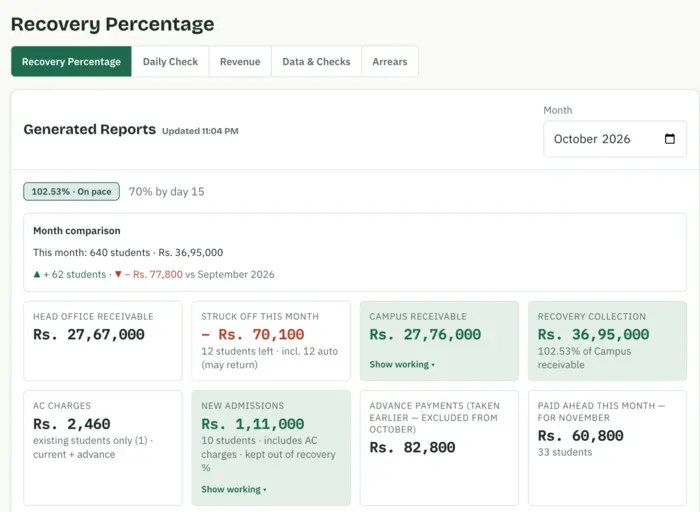
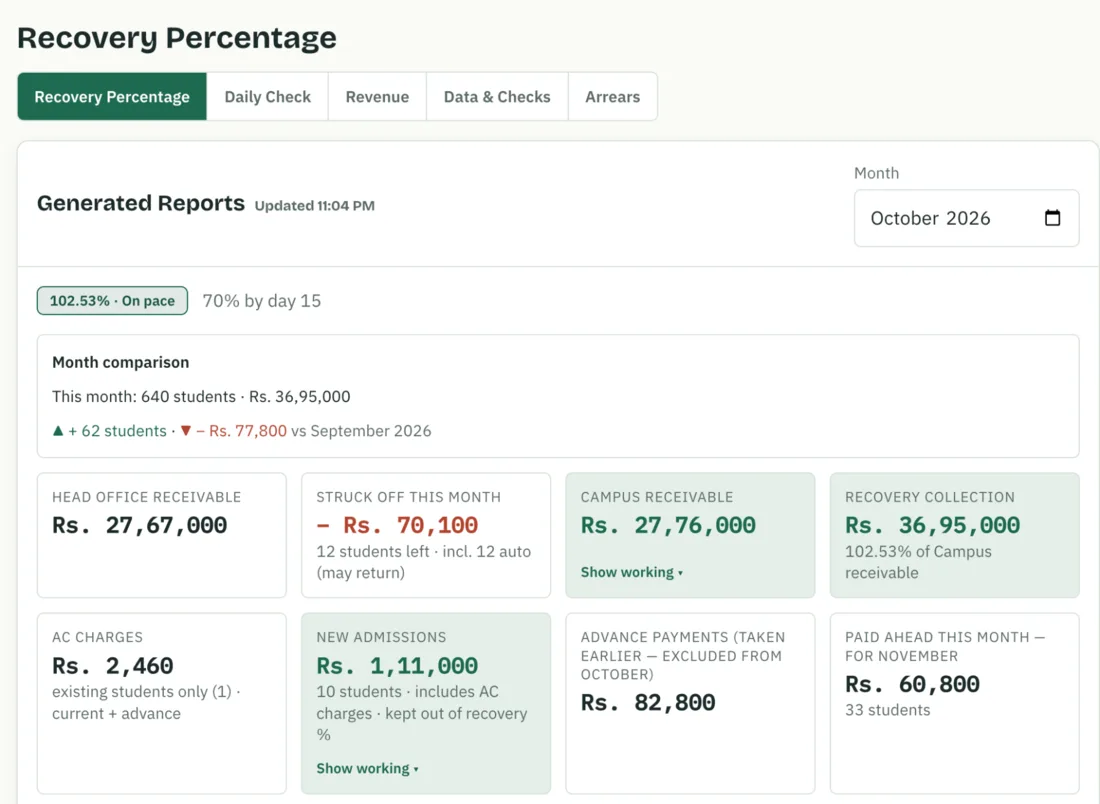
Open Recovery and every campus shows what head office billed, what has been collected, what is still to recover and who has not paid, division by division.
- 1 click
Profit and loss
Profit for every campus, school and academy separately, for this month, three months or the academic year. Expenses count against the campus they were charged to. No adding up by hand.
- One place
Every expense in one place
Daily expenses with a photo of each bill, petty cash, salaries, staff advances and royalty. The head-wise report shows in one click where the money went, campus by campus, against last month.
- Verified
Bank verification
Import the bank statement and every deposit, cheque and salary transfer is matched against it. See what the bank has confirmed, what is still missing, and the live balance.
- Room by room
Inventory
A register of everything the campus owns, room by room. Moves, sales and write-offs are recorded, a yearly check confirms what is really there, and you see the value held today.
Fee recovery, before the month ends
Every campus against its target, every day, division by division. The weakest section shows up first, while there is still time to act.
- Junior81%
- Boys74%
- Girls69%
- Academy64%
Strength-wise, counted in students
- On roll
- New admissions
- Not billed
- Head office receivable
- Fee received
- Defaulters
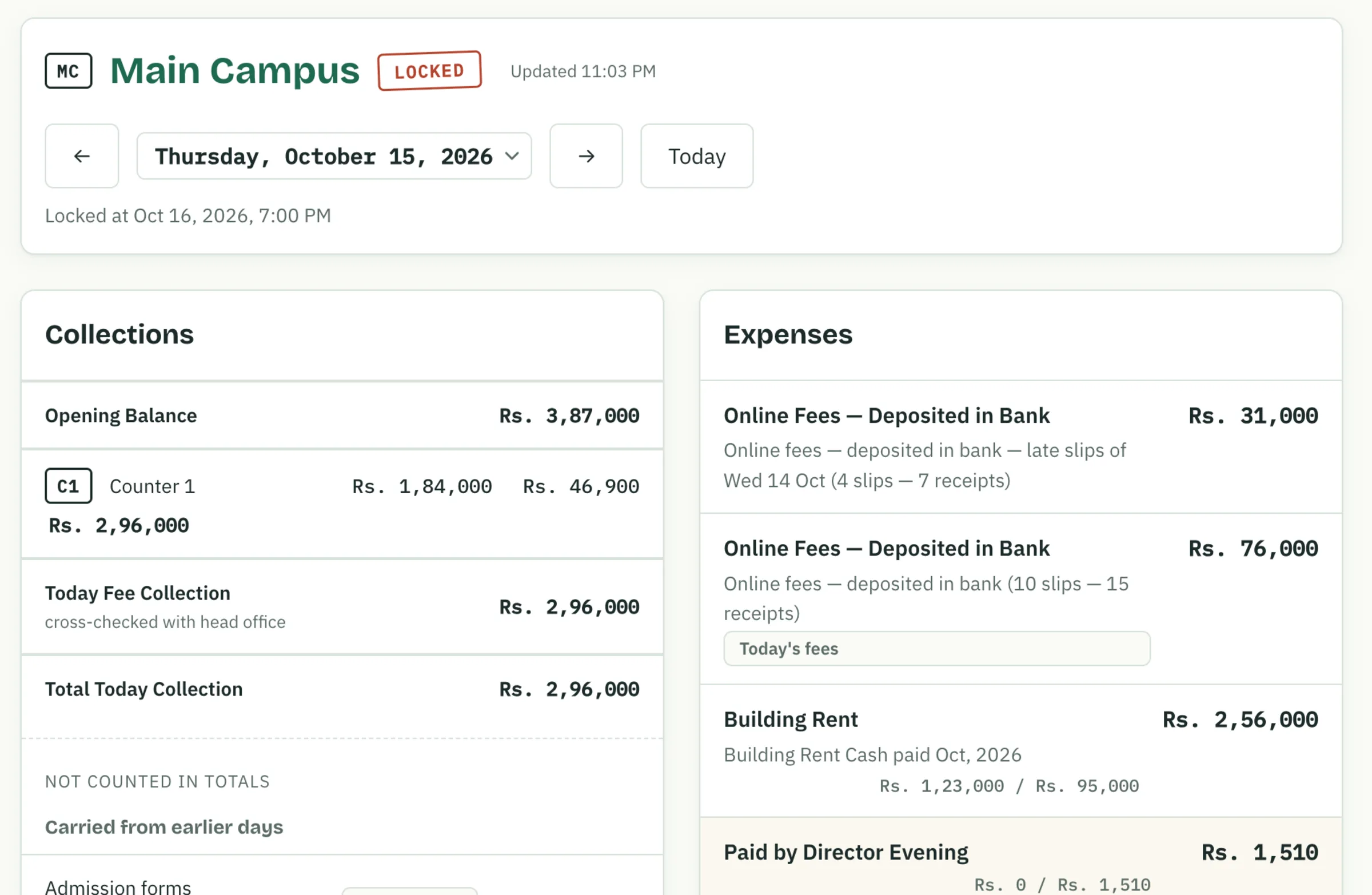
How a campus day closes
Three people touch the day's sheet, and each one can only do their part.
- During the day
Fee and expenses are entered
Accountant. Counter collections for the morning school and evening academy, every expense with a photo of its bill, and cash taken to the bank with its slip.
Entered - All day, by itself
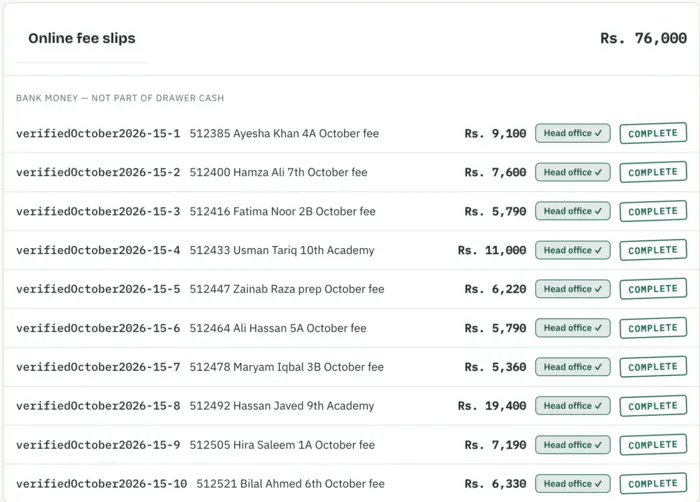
Online slips are matched
Fee slips parents pay online arrive by themselves and are checked against the head-office record.
Matched - End of the day
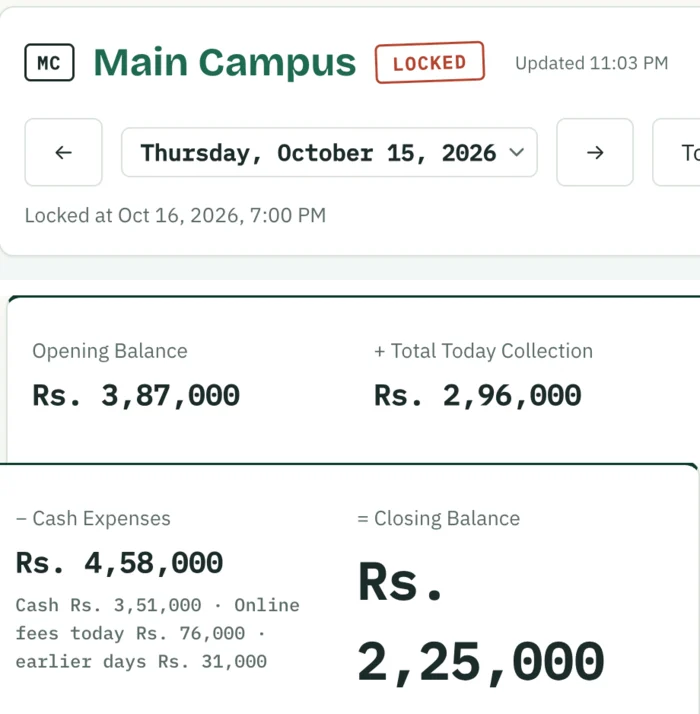
The day is verified and locked
Principal. Enters the head-office total, sees whether it matches, and locks the day.
Locked - Any time, live
The owner sees it, live
Director. Every campus, every day, on a phone or laptop, with every change in the activity log.
Live
CampusBook compared with a paper register and Excel
| Paper register or ExcelSlow, by hand, easy to change |  CampusBookAutomatic, checked, locked CampusBookAutomatic, checked, locked | |
|---|---|---|
Fee checked against head office | By hand, if at all | Every day, automatically |
Online Fee slips | Checked one by one on a phone | Matched with head office, unmatched slips flagged |
Profit by campus and wing | Hours of adding up at month end | One click |
Where the money went | Sorting bills by hand | Head-wise report in one click, against last month |
Bank deposits | Ticked off on a printed statement | Matched with your company bank |
Bills | Kept in a file, easily lost | A photo saved with every expense |
Inventory | A separate register, rarely checked | Room by room, with a yearly check |
After the day closes | Pages can be changed or torn out | Locked; any reopening is logged with a reason |
Owner's view | Wait for the register to arrive | Every campus, live on the phone |
Money in
5Fee collection
Per counter, morning school and evening academy, cross-checked with the head-office total.
Online Fee slips
Matched one by one with head-office records, with the receipt attached.
PayZen payments
Fees paid directly to head office, written onto the day's sheet.
Other collections
Admission, registration and any other money received, each under its own head.
Pending items
Money expected but not yet received stays visible until someone clears it with a reason.
Money out
5Expenses with bills
Every bill under a head, with a photo. A bill for another campus is charged to that campus.
Petty cash
Requested, approved, issued and spent bill by bill, with a running balance.
Salaries
Monthly salary sheets uploaded and checked against the bank transfers.
Staff advances
Every loan to staff tracked until it is returned or deducted from salary.
Scholarships and royalty
Class-test awards, head-office scholarship lists and the monthly royalty to head office.
Bank
2Deposits matched to the statement
Import the bank statement and see which deposits are confirmed and which are still missing.
Direct bank payments
Drafted by the accountant and approved by the Director, never by the same person.
Control and reports
7One approvals queue
Payments, petty cash, advances, salaries and fee relaxations, with a reason for every rejection.
Phone alerts
A notification the moment something is waiting for approval.
Fee recovery and arrears
Recovery against your target every day, and a list of old balances.
Profit by campus
School and academy separately, with expenses counted where they were charged.
Head-wise report
Spending per head, campus by campus, against last month.
Activity log
Who changed what, and when. Nothing changes quietly.
Inventory and tax pack
Everything the campus owns, room by room, and a month's bills in one download.
One login each, and only what they need
Director
Sees every campus, decides
- Every campus's collection and closing balance on the phone
- Approves bank payments, advances and salaries
- Profit and fee recovery for every campus
- Reopens a locked day, with a reason
Principal
Checks and locks the day
- Matches the day with the head-office total
- Requests petty cash and enters its bills
- Records class-test scholarships
- Approves fee relaxations for the campus
Accountant
Enters the day
- Counter collections, morning and evening
- Expenses with a photo of every bill
- Bank deposits with the slip
- Works in English or Urdu, on a phone or laptop
Your school's data
- It belongs to your school
Every entry is saved the moment it is made, and nothing is deleted while you use CampusBook.
- Kept separate
Each school group has its own campuses, users and records.
- Seen by role
Staff see only what their role needs; the Director sees everything.
- Nothing changes quietly
Every page uses a secure HTTPS connection, and every change is logged with a name and time.
Run your campus on CampusBook for two months, free.
Message us and we set up your campus. Your team uses the real daily sheet for two months, and you decide in month three.